Showing posts with label iphone. Show all posts

Amazing UI Design Inspiration 2013 - #2

Need some inspiration for your next project? You can find it here. Some of the best user interface designs. We showcase some of the most beautiful designs found around the web. Take your time and don't forget to share this with your friends!

More design inspiration


Holga - The Rotating Vintage iPhone Camera Filter


Holga allows photographic experimentation with nine built-in special effects filters. The iPhone case adds some vintage flair to your smartphone.

The case is available in black, white, blue, red or silver, and comes with a rotating wheel that resembles a rotary dial. Nine of the filters offer special effects, while the tenth, dubbed "empty hole," is a plain one that produces a simple hole effect. Filters are selected by rotating the wheel. It's compatible with iPhone 4 and 4S.


The Chinese company is known for its low-cost film cameras, that snap quirky distorted images. The unusual effect is appreciated by a number of professional photographers.

The Holga iPhone Lens Filter Kit is available online for only US$24.99.

Two Brand New iPhone 5 Commercials

Apple revealed two new iPhone 5 commercials. You can watch them below.

"Discover" highlights the iPhone's shopping functions and musical capabilities. Apple's Maps also makes a brief appearance in it.

The other 30-second spot, called "Brilliant," demonstrates how users can pay for Starbucks items using Passbook, an iOS app that stores all types of tickets without having to print them. Passbook support for Starbucks became available in early October. The ad also features the MyScript Calculator app, which lets users sketch out any math problem, and Philips Hue, a web-enabled LED home-lighting system sold exclusively in Apple stores.


5 beautiful iPhone homescreen designs

Here I will show you some beautiful homescreen UI iPhone designs. I will future screens I found around the web. Get some inspiration in order to design beautiful stuff.


Dieter Rams Style Music App: T3


Influenced by the braun radio designs of dieter rams, the 'T3 music app' for iPhone integrates simplified controls and navigation features to minimize clutter and chaos in the device's song library. the browsing interface uses styling from the 606 universal shelving system - where playlists can be organized alphabetically or by manual ranking - allowing users to sort and customize music based on preference. Source

10 Amazing Examples Of Mobile Phone Photography #2

A lot of people use their phone as a photo camera. Most people would say the quality isn't high enough to take outstanding pictures. But with modern technology mobile phone pictures which are made by the right person look stunning! Enjoy part 2 and leave your comment.


The 5 best weather apps for your iPhone

One of the things you can use your iPhone for is checking the weather. The question is, what is a great weather app? Below is a selection of the 5 best weather apps available in the app store.

1. Sky - Minimal Weather


This super minimal and clean weather app features a lovely smooth background which changes colour depending on the temperature. So if it’s cold it’ll be blue, if it’s super hot it’ll be red. You’re simply given the current temperature and the forecast for the next four days.

Price: Free


2. Weather HD 2


Weather HD 2 is a huge overhaul to the already popular Weather HD app, and the latest version features brand-new weather animations, 3D world weather maps and the new QuickView, so you can see the weather in multiple locations at once. There are also push notifications for severe weather alerts in the US and Europe and plenty of social integration.

Price: $1.99


3. WeatherLive

WeatherLive features the standard weather information, such as “feels like” temperature, wind direction and speed, humidity, and so on, as well as display the information either in full or in a custom format (e.g. short or long-term forecast, text only and so on).

Price: $0.99


4. Solar Weather


Solar will simply detect where you are and display the forecast for your region. It’s not ideal for detailed weather forecasts, but for the simple-minded of us who just want to know whether we have to wear a coat or take an umbrella when we step outside, it’s absolutely ideal.

Price: $1.99


5. ClearWeather

ClearWeather is a free weather app which simply gives you the current weather and basic info for the next 3 days too. You can add multiple locations and you can make it notify you of the weather for the day. Other than that there is nothing else in the app. It’s designed to be simple, if you’re looking for detailed info you need to look elsewhere.

Price: $0.99


Any.Do Moment - The best task app there is

Any.do already is a well known name on Android and IOS devices, but now they redesigned the app. This task app now is, in my opinion, the best task app you can get and it's totally free!

The best thing about Any.do is the beautiful minimalistic design. It's just stunning and it also works really well. Any.Do has just added a new feature that makes handling your to-do lists more manageable and actionable. The app lets you triage your daily to-do list and turn it into a sort of daily planner that lets you easily re-prioritize your tasks.

Any.Do Moment is activated every day at a specific time you set (it alerts you with a standard iOS or Android notification), and it simply presents you with your list of to-dos for the day, one by one. This single-task focus lets you focus on the day ahead and make decisive decisions about whether or not you can actually check off that task today or whether you can push it off to another day.

In essence, Any.DO is trying to re-think mobile to-do list apps. Rather than just let tasks pile up indefinitely, both provide users with a way to sort and manage items within the app in an effort to boost productivity.

I have now used the app a short while and this is the best thing I ever used. Now you really schedule your tasks. Any.do forces you to do so in a friendly way.

Download for Android or Download for IOS

10 Amazing Examples Of Mobile Phone Photography

A lot of people use their phone as a photo camera. Most people would say the quality isn't high enough to take outstanding pictures. But with modern technology mobile phone pictures which are made by the right person look stunning! Enjoy and leave your comment.


Buzz Lightyear Mobile Game Teaser


Disney released a teaser photo Tuesday for a new Toy Story-themed mobile game coming soon. The image shows Buzz Lightyear throwing a ball into a stack of blocks, presumably knocking them down in order to score points. It looks like it's coming out for IOS and Android.


What do you think about the new Toy Story mobile game? Let us know your thoughts in the comments.

Awesome GUI Design top 10 2013

User Interface design is really important for your app or software! That's why you can use some inspiration. Enjoy
My drinks Iphone App
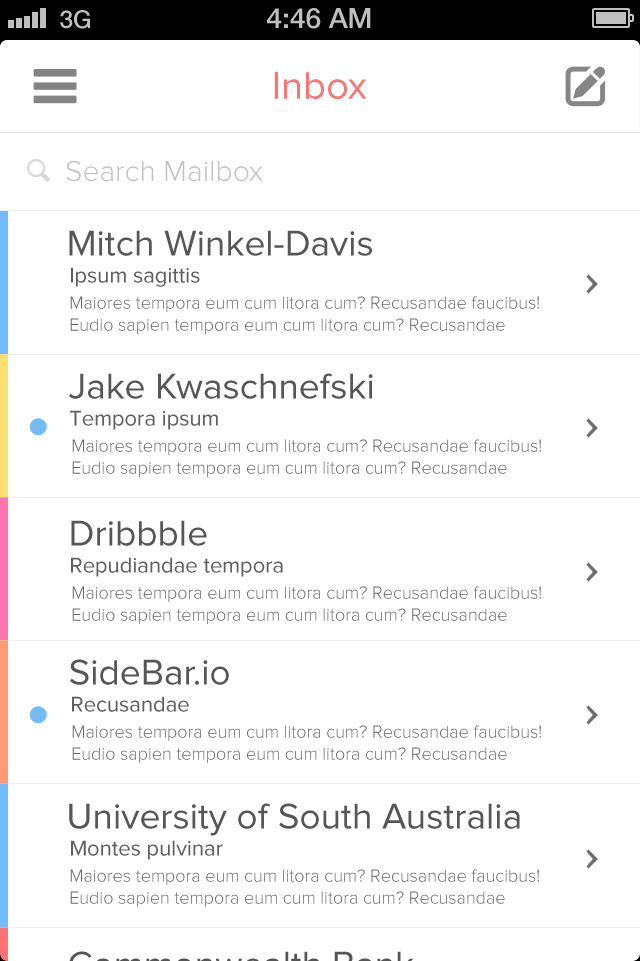
Dribbble Iphone Email

Twitter's Vine Design


Twitter recently launched Vine. This app is an instagram style video app to make short (6 second) video's to share on twitter. For now it's only available for the iPhone but I'm pretty sure an Android and Windows Phone version will be launched in March 2013.

5 Must Have iPhone and iPad Apps for Designers


1. Paper – Ideas begin on paper. Closest thing to sketching on real paper on the iPad.

The complete list: after the jump

The iPhone's most beautiful to-do app comes to the Mac

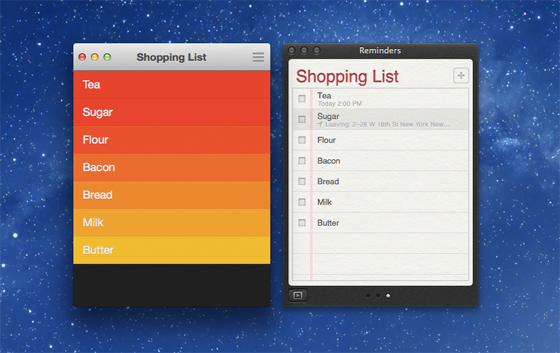
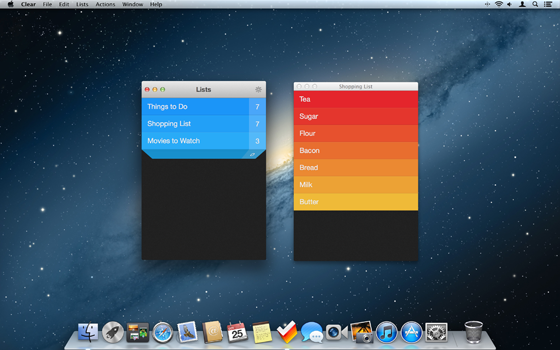
With Clear for Mac, launching in the Mac App Store at midnight tonight, developer Realmac is treading dangerous territory — a space packed to the gills of productivity apps large and small. Yet Realmac founder Dan Counsell says, "The to-do list category on the Mac is more than ripe for some innovation." The Mac App Store is inundated with apps like Things, OmniFocus, and more, but so was the iOS App Store when Clear for iPhone debuted. "For a start, [these apps] encourage their users to spend more time managing and organizing their tasks than achieving them," he added.


On iPhone, where screen real estate is at a premium, Realmac succeeded in creating a whole genre of innovative and chromeless interfaces, and sold over 600,000 copies of Clear for iPhone. But how does that noble goal translate to Mac.

Clear for Mac is a very good application, but I'd only wholeheartedly recommend it to diehard Clear for iPhone users considering its steep price: $14.99 (on sale for $6.99 today, which is more reasonable). There's just no way around the fact that Reminders for Mac and Wunderlist have similar (if not much greater) feature sets, but are totally free.


Read the whole article on TheVerge

Recent Posts

Recommend on Google
Powered by Blogger.

Top Stories This Month